
SlideServe
Menu
Préférences
© SlideServe · v2026

Chapter 1: Introduction

rafael-marshall avatar
25 diapositives · 831 Views · Nov 20, 2014

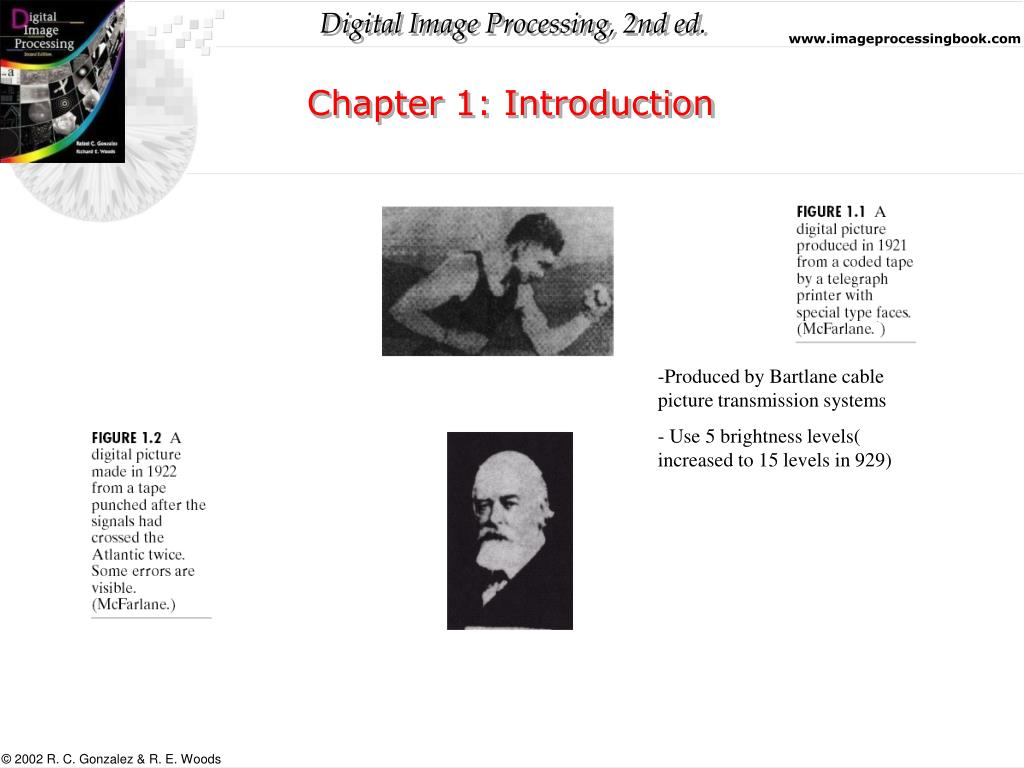
Chapter 1: Introduction. Produced by Bartlane cable picture transmission systems Use 5 brightness levels( increased to 15 levels in 929). Chapter 1: Introduction. Chapter 1: Introduction. Chapter 1: Introduction. Chapter 1: Introduction. Chapter 1: Introduction. Chapter 1: Introduction.
Chapter 1: Introduction - slide 1
01 / 25Chapter 1: Introduction
1 / 17

Télécharger la présentation

Chapter 1: Introduction
Une image / un lien ci-dessous est fourni (tel quel) pour télécharger la présentation

Politique de téléchargement : le contenu du site vous est fourni TEL QUEL pour votre information et votre usage personnel ; il ne peut être vendu, concédé sous licence ni partagé sur d’autres sites sans l’accord de son auteur.Le contenu vous est fourni TEL QUEL, pour votre information et votre usage personnel uniquement. Téléchargez la présentation en cliquant sur ce lien. Lors du téléchargement, si vous ne parvenez pas à télécharger une présentation, l’éditeur a peut-être supprimé le fichier de son serveur.Pendant le téléchargement, si vous ne parvenez pas à obtenir une présentation, le fichier a peut-être été supprimé par l’éditeur.

F I N

Plus de contenu associé

Transcription de la présentation
  1. Chapter 1: Introduction • Produced by Bartlane cable picture transmission systems • Use 5 brightness levels( increased to 15 levels in 929)

  2. Chapter 1: Introduction

  3. Chapter 1: Introduction

  4. Chapter 1: Introduction

  5. Chapter 1: Introduction

  6. Chapter 1: Introduction

  7. Chapter 1: Introduction

  8. Chapter 1: Introduction

  9. Chapter 1: Introduction

  10. Chapter 1: Introduction

  11. Chapter 1: Introduction

  12. Chapter 1: Introduction

  13. Chapter 1: Introduction

  14. Chapter 1: Introduction

  15. Chapter 1: Introduction

  16. Chapter 1: Introduction

  17. Chapter 1: Introduction

  18. Chapter 1: Introduction

  19. Chapter 1: Introduction

  20. Chapter 1: Introduction

  21. Chapter 1: Introduction

  22. Enhancement: Improve the visual quality of the image. Eg. Noise removal using median filtering (from http://www.nist.gov/lispix/imlab/noise/shotfc.html) Image Enhancement

  23. same as image enhancement, but you have additional information concerning the quality degradation. Example: removing motion blur in an image of a fast moving object. A page from Matlab examples or the matlab site at http://www.mathworks.com/products/demos/imagetlbx/examples/deblur/deblur.html Image Restoration

  24. Reconstruction: Reconstruction from projections. Used in constructing 3D data from 2D projections in computer tomography. Image representation using features: Low level representations using color, texture, shape, motion, etc. High level features for recognitions; e.g., facial features. Recognition and scene understanding Image Processing (cont.)

  25. Chapter 1: Introduction