Introduction to Multimedia Storage: Digital Imaging, Sound, and Video
This comprehensive guide explores the fundamentals of multimedia storage, covering essential components such as digital imaging, sound, and video. Learn about interactive features that enhance user experience, understand color models like RGB, and discover the specifications of various storage devices (DVDs, memory cards) and formats (MIDI, WMV). Gain insights into key concepts like lossless compression, digital zoom, and file formats associated with sound and video. This resource is ideal for anyone looking to deepen their understanding of multimedia technologies.

Introduction to Multimedia Storage: Digital Imaging, Sound, and Video
E N D
Presentation Transcript
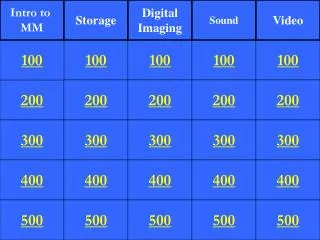
Intro to MM Storage Digital Imaging Sound Video 100 100 100 100 100 200 200 200 200 200 300 300 300 300 300 400 400 400 400 400 500 500 500 500 500
A feature of a multimedia project that allows the user to control some aspects of the presentation
Full-motion recording that is converted into bitmaps using frame grabbers or similar devices attached to a computer
Storage device that encodes data as microscopic magnetized needles on the disk’s surface
A small removable storage device used to store data in a camera.
An optical storage medium made of molded polymer for electronically recording, storing, and playing back audio..
A graphic that represents the digital image as an array of pixels.
Takes a portion of the image and enlarges it electronically.
A program that permits a web browser to access and execute files that the browser would not normally recognize.
Reproducing a sound by recording many fragments of the sound.
The standard video file format that can be viewed in Windows Media Player
A series of framed images put together, one after another, to simulate motion and interactivity.
Refers to data that is broadcast or transmitted without editing or delays.