Understanding Accessibility in UI Design: Patterns, Standards, and Best Practices
200 likes | 324 Vues
This summary explores the importance of accessibility in user interface (UI) design, focusing on the use of design patterns and compliance with standards. It covers the basics of accessibility, including clean HTML, meaningful labels, and structured content, as well as common pitfalls like untagged graphics. Ethical and legal responsibilities regarding accessibility are highlighted, along with resources from W3C and ISO. The document provides an overview of effective design patterns and emphasizes the advantages of adhering to established guidelines for usability and consistency across systems.


Understanding Accessibility in UI Design: Patterns, Standards, and Best Practices
E N D
Presentation Transcript
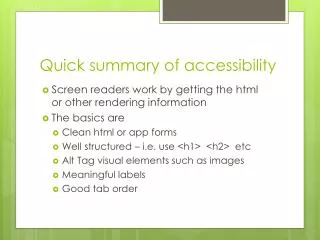
Quick summary of accessibility • Screen readers work by getting the html or other rendering information • The basics are • Clean html or app forms • Well structured – i.e. use <h1> <h2> etc • Alt Tag visual elements such as images • Meaningful labels • Good tab order
What is inaccessible? • Flash – in principle you can make it accessible, but in reality this is super difficult • “Read more…..” links are meaningless • Untagged graphics • Using (untagged) graphics for navigation
HCI Design Patternsand Standards You have ethical and legal responsibilities!
Agenda • Patterns • Predefined guides as to how to do things • Standards • Rules about how to do things
Learning outcomes • Explain how and why patterns are used in UI design • Describe the contents of a typical pattern • Describe what standards you are likely to have to comply with
Design Patterns • First proposed by Christopher Alexander for architecture. • Adopted by other disciplines as ways to describe common problems and solutions • Software patterns • HCI patterns
Libraries of patternsWelie http://www.welie.com/patterns/index.php
Quince • Seriously good pattern library • Patterns indexed by • Wireframe • Tag (semantic map) • Alphabetical • http://quince.infragistics.com/
Each pattern • http://www.welie.com/patterns/showPattern.php?patternID=map-navigator • Problem • Solution • Context • Rationale • Implementation http://quince.infragistics.com/#/ByMap/ViewPattern$pattern=Date+Picker&lang=en
Patterns • Provide a solution or solutions • May or may not be tested • Give you design ideas • Defining patterns for a large system or website will lead to • Consistency • Therefore better usability
Standards • Many organizations (particularly government) require software to be standards compliant! • Standards bodies • W3C world wide web consortium • ISO standards • Governments • UK • USA • New Zealand • Operating Systems
W3C • http://www.w3.org/standards/ • Free! • Technical • Comprehensive • Detailed • Well respected
WCAG 2 at a Glance • http://www.w3.org/WAI/WCAG20/glance/ • Perceivable • Provide text alternatives for non-text content. • Provide captions and other alternatives for multimedia. • Create content that can be presented in different ways,including by assistive technologies, without losing meaning. • Make it easier for users to see and hear content. • Operable • Make all functionality available from a keyboard. • Give users enough time to read and use content. • Do not use content that causes seizures. • Help users navigate and find content. • Understandable • Make text readable and understandable. • Make content appear and operate in predictable ways. • Help users avoid and correct mistakes. • Robust • Maximize compatibility with current and future user tools.
ISO • Not free • ISO/TR 16982:2002 Ergonomics of human-system interaction—Usability methods supporting human-centered design • High level, for UX designer, systems analysts etc • ISO 9241 Ergonomics of Human System Interaction. • Includes detailed recommendations from hardware to people
Government • Mostly concerned with accessibility • Disability Discrimination Act UK • Section 508 of the Rehabilitation Act (USA) • http://webstandards.govt.nz/
Government • Legislation together with pressure groups have had some remarkable successes • Windows 7 has ‘windows navigator’ built in • iPad/Phone/Pod have touch accessibility for visually impaired • This is really impressive!
Operating Systems • Microsoft • http://msdn.microsoft.com/en-us/library/aa511258.aspx • Apple • http://developer.apple.com/library/mac/#documentation/UserExperience/Conceptual/AppleHIGuidelines/XHIGHIDesign/XHIGHIDesign.html%23//apple_ref/doc/uid/TP30000353-TP6 • Android • http://developer.android.com/guide/practices/ui_guidelines/index.html
Advantages • Using patterns and guidelines • Not reinventing the wheel • Future-proof your designs • Makes entry to markets easier
Summary • Explain how and why patterns are used in UI design • To provide design ideas and solutions • Standardize across a system/site • Avoid common errors • Describe the contents of a typical pattern • Problem • Solution • Context • Rationale • Implementation • Standards may be imposed by software purchasers usually • W3C or similar • Government standards