Understanding Web Pages and XHTML: Key Concepts for Exam Preparation
This resource covers essential concepts from Chapter 9 of "XHTML Essential" to help you prepare for Exam 1 on Monday, October 25th. Key topics include definitions of web pages, differences between websites and web pages, and the distinction between HTML and XHTML. Learn about the structure of XHTML documents and important HTML tags. Additionally, the chapter explains how web pages are represented in browsers and the significance of URLs. Review undefined content types and the basics of HTML document structure in preparation for the exam. Don’t miss the review session on Friday, October 22nd!

Understanding Web Pages and XHTML: Key Concepts for Exam Preparation
E N D
Presentation Transcript
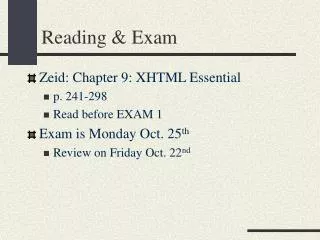
Reading & Exam • Zeid: Chapter 9: XHTML Essential • p. 241-298 • Read before EXAM 1 • Exam is Monday Oct. 25th • Review on Friday Oct. 22nd
Agenda • Three definitions of a web page • Website vs. web page • HTML vs. XHTML • XHTML document structure • Important HTML tags
Three definitions of a web page Document View. • The easiest way to define a web page is to think of a web page as a single HTML document. • For instance, in your public_html folder there may be two web pages • index.html • style.html
Three definitions of a web page Browser Display View • The Document View does NOT necessarily define a web page • Web pages can include images and data that are stored separately from the HTML document. • Perhaps a better definition is to consider a web page to be all of the content that is visible in a web browser when a page is displayed.
Three definitions of a web page URL View • The Browser Display View does NOT necessarily define a web page either • Web pages can include meta tags and other information that is never displayed. • Also, web browsers display content differently. • Another definition of a web page: All of the content that is potentially available at a URL.
Three definitions of a web page A Fourth View (combination of the three) • The URL view implies that a simple .gif or .jpg file would be considered a web page. • That’s OK in general, but I won’t count that as a web page in this course. • Fourth Definition: An HTML document that is available via a URL, including any content that can potentially be displayed when opening the URL in a Web Browser. • If the URL changes consider it a different web page.
Website vs. web page Link Definition: • A collection of web pages that are connected via hyperlinks • One of my web pages links to RPI’s website. Does that mean that my website and RPI’s website are the same?
Website vs. web page Server Definition: • A collection of web pages that are stored on the same web server. • But, some websites (www.yahoo.com) have content that is stored on multiple servers • However, the URL is always the same
Website vs. web page URL Definition: • A collection of web pages that are available via the same URL Domain. • Example: www.cs.siena.edu/ • But, my Bea Arthur Tribute has nothing to do with Computer Science and Siena College.
Website vs. web page Content Definition: • A collection of inter-connected web pages devoted to a particular topic or concept, where each page is authored by a particular person or group of people. • This definition is my favorite.
HTML vs. XHTML • HTML stands for HyperText Markup Language • The concept of hypertext was invented in 1968. • HTML was invented by Tim Berners-Lee in 1991. • HTML is a set of syntax (tags) for annotating documents on the WWW. • Web browsers simply interpret the syntax. • HTML is a subset of SGML (Standard Generalized Markup Language) • SGML was a general syntax for annotating any kind of document (IBM 1960’s)
HTML vs. XHTML • XML stands for Extensible Markup Language. • XML is also a subset of SGML that is designed to be more useful. • XML is basically a set of syntax for defining tags. • Thus, you can use XML do define your own markup tags for any kind of document. • XML is used extensively so that different systems can share data and documents.
HTML vs. XHTML • To enhance HTML, The WorldWide Consortium (www.w3c.org) modified HTML to conform to the XML standards. • XHTML is simply HTML code that conforms to the XML standards. • Page 247 describes how XHTML syntax is different than HTML syntax. • Before we can learn about these differences we will learn about HTML.
HTML Document Structure <html>Everything in here will be interpreted as an html document </html>
HTML Document Structure <html><head>Title, meta information, style sheet links, javascript code...</head><body>Visible body of the web page.</body> </html>
XHTML Document Structure <?xml version=“1.0” blaa blaa> <!DOCTYPE html blaa blaa> <html xmlns=blaa blaa><head>Title, meta information, style sheet links, javascript code...</head><body>Visible body of the web page.</body> </html>
<head> Tag <head> <title>Displayed in Title Bar</title> <meta name=“author” content=“Eric Breimer”> <meta name=“description” content=“The best marmot website on earth!” <meta name=“keywords” content=“marmots, beavers, wood chucks”> </head>
<body> Tag • The body tag has a lot of attributes <body background=“filename”bgcolor=“#FF00FF”leftmargin=“0”onLoad=“some JavaScript function”onResize=“another JavaScript function”> </body> • How many attributes are there?
<p> Tag • Defines a paragraph • Using CSS styles you can redefine the indent <p span=“cssStyle”>Here you can give a paragraph a text style. </p> • You can never redefine the blank line created by a new paragraph.
<h1> Tag • <h1></h1> Header 1 24pt • <h2></h2> Header 2 18pt • <h3></h3> Header 3 14pt • CSS styles have made these obsolete
Other Text Formatting Tags • <b> Bold </b> • <i> Italic </i> • <em> Emphasis </em> • Same as <i> on most browsers • <strong> Bolder </strong> • Same as <b> on most browsers • <small>Smaller Font</small> • Font size depends on browser (8-10pt) • May not be smaller if you’re already using 10pt font
Other Text Formatting Tags • <blockquote> </blockquote> • This is how DreamWeaver controls indenting • However, its NOT like a tab • <code> <code> • diplayed withfixed-width font • what is a fixed-width font anyway? • <pre> </pre> • displayed verbatim w/ fixed-width font • counts white-space and new lines • <div></div> • just like <p> but does not create a blank line • more robust than <br> because you can specify alignment
Single Tags • <br> • Line break • <hr> • Horizontal rule • Can change color, size, width, shading, etc. • Won’t properly display in DreamWeaver • <img src=“filename”> • Image is inserted (native size) • If you specify a different size the browser is responsible for re-scaling • Many optional attributes
XHTML Requirement • HTML allows single tags • i.e., <hr> • XML requires every tag to be closed with • Start tag <tagname> (Tag is opened) • End tag </tagname> (Tag is closed) • Single tags must be closed. • i.e., <hr/> (Open and closed in one tag).
Special Characters • &#code • 2 to 4 digit code is used • See tables 9.3-9.5 on page 259 • A picture is worth a thousand words. • Some special characters have non-numeric codes • i.e.,   • Many of these don’t work unless the browser has an extended character set plug-in installed.
Anchor Tag • <a href=“URL”>Actual Link</a> • Standard hyperlink to webpage • <a name=“label”> • Places an anchor in a document • <a href=“#label> • Hyperlink to the label • Intra-document link • Somewhat obsolete. Why?
Lists • Ordered Lists (numbered) <ol> <li>list item1</li> <li>list item2</li> <li>list item3</li> </ol> • Unordered Lists (bulleted) <ul></ul> • Can be nested; Example