Comprehensive Guide to Staff and Student Demographics in Skyward SMS
This document provides an in-depth overview of maintaining and editing staff and student demographics within the Skyward SMS system, specifically focusing on state-required fields in Tennessee. It covers essential areas such as staff maintenance, course management, and student demographics to ensure compliance with Tennessee state regulations. Users will find guidance on how to manage staff assignments, enter demographic details, and edit course information effectively, along with important contacts for further assistance.

Comprehensive Guide to Staff and Student Demographics in Skyward SMS
E N D
Presentation Transcript
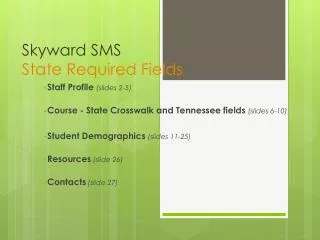
Skyward SMSState Required Fields Staff Maintenance Course - State Crosswalk and Tennessee fields Student Demographics
Staff Maintenance • Staff State Required Fields
Staff MaintenanceName, Staff & Assignment buttons • Staff Type • Staff Entity • Assignment • Name and Staff
Staff MaintenanceStaff Type • Add Staff Type
Staff MaintenanceStaff Entity • Add Staff Entity • Add Staff Status
Staff MaintenanceAssignment - button • Staff Assignments
Staff MaintenanceName button then More button • Address • Phone Numbers • Gender • Marital Status • Date of Birth • MORE button • Race • Language
Staff MaintenanceStaff - button • E-mail • 1st Phone • SSN • License • Endorsement Code
Course Maintenance • Course State Crosswalk and Tennessee fields
Course MaintenanceCrosswalk Edits • Select Course Master • Select the Course • Click Edit • Edit Type • Click the Curriculum button • Select the Course • Click Edit • Click on the tab 2 Course Defaults • Click on Course Code button • Select the from the list of Course and Endorsement codes
Course MaintenanceCourse List • Select Course Master • Select the Course • Click Edit
Course MaintenanceCourse Type • Edit Type • Choose from Course Type dropdown
Course MaintenanceCurriculum button • Click the Curriculum button
Course MaintenanceCourseCurriculum Master List • Select the Course • Click Edit
Course MaintenanceCurriculum Master Maintenance • Click on the tab 2 Course Defaults
Course MaintenanceCurriculum Master Maintenance • Click on Course Code button • Select from Available Course and Endorsement Codes
Tennessee Fields • Select the Course • Select Edit on each section • Click on the Tennessee field button • Edit • District ID = 12 • School State ID = 35 (example ORHS) • Class Type = Traditional, Pullout or Self-contained.
StudentDemographics • Student State Required Fields
StudentDemographics • General 1 Screen • Entry/Withdrawal Screen • Entity screen • TN/NCLB screen • NCLB-2 screen (Immigrant and Student Classification) • General 2 screen • Schedule screen • Busing Screen • Web General 1 Profile – Mother’s maiden last name • Web General 1 Birth History - all fields
Student DemographicsGeneral 1 screen • Gender/Language/Race • Other ID • Date Entered 9th Grade (ORHS only) • Birth City • Birth County • Birth State • Birth Country
Student DemographicsEntry/Withdrawal screen • If a student withdraws and returns within the current school year their returning enrollment code would be the same as their original enrollment code for the current school year.
Student DemographicsEntity screen • Verify that the student is active and the current school entity is the default.
Student DemographicsTN/NCLB screen • SSN or PIN if no SSN is available • State ID (check EIS) • Residence County • US Entry Date (immigrants)
Student DemographicsNCLB-2 screen – Immigrant Status • Enter the Start Date of Enrollment in U.S. Schools.
Student DemographicsNCLB-2 screen – Student Classification • Click on *MISCELLANEOUS • Enter the Student Classification start date • Note: If a student withdraws and returns in the same school year, be sure to enter an end date and a new start date.
Student DemographicsGeneral 2 screen • Click Edit and Enter Next Year School with manual override for all grade levels except 12th grade.
Student DemographicsSchedule screen • Schedule Start Date must be the same as the student Enroll Date.
Student DemographicsBusing screen • Enter the AM Bus • Enter the PM Bus • Enter the Estimated Miles • Use Enroll date for begin date
WEB – Gen 1 Profile • Mother’s maiden last name
WEB – Gen 1 Birth History • Complete all fields
Resources • Correlation of Course Codes: http://tennessee.gov/education/schapproval/course_code_corr.shtml The course codes for the next school year are usually available in February or March of the current school year.
Contacts • Shellee Lawson 865-425-9035 slawson@ortn.edu • Jeff Edmonds 865-425-9037 jedmonds@ortn.edu
State Required Fields • Until further notice.