
SlideServe
Menu
Préférences
© SlideServe · v2026

3: Controlling Program Flow

nasnan avatar
14 diapositives · 244 Views · Oct 15, 2014

Learn about controlling program flow in Java using mathematical, relational, and logical operators, as well as primitive types, strings, and object assignments. Practice with sample code and understand method calls and variable handling in Java.
3: Controlling Program Flow - slide 1
01 / 143: Controlling Program Flow
1 / 17

Télécharger la présentation

3: Controlling Program Flow
Une image / un lien ci-dessous est fourni (tel quel) pour télécharger la présentation

Politique de téléchargement : le contenu du site vous est fourni TEL QUEL pour votre information et votre usage personnel ; il ne peut être vendu, concédé sous licence ni partagé sur d’autres sites sans l’accord de son auteur.Le contenu vous est fourni TEL QUEL, pour votre information et votre usage personnel uniquement. Téléchargez la présentation en cliquant sur ce lien. Lors du téléchargement, si vous ne parvenez pas à télécharger une présentation, l’éditeur a peut-être supprimé le fichier de son serveur.Pendant le téléchargement, si vous ne parvenez pas à obtenir une présentation, le fichier a peut-être été supprimé par l’éditeur.

F I N

Plus de contenu associé

Transcription de la présentation
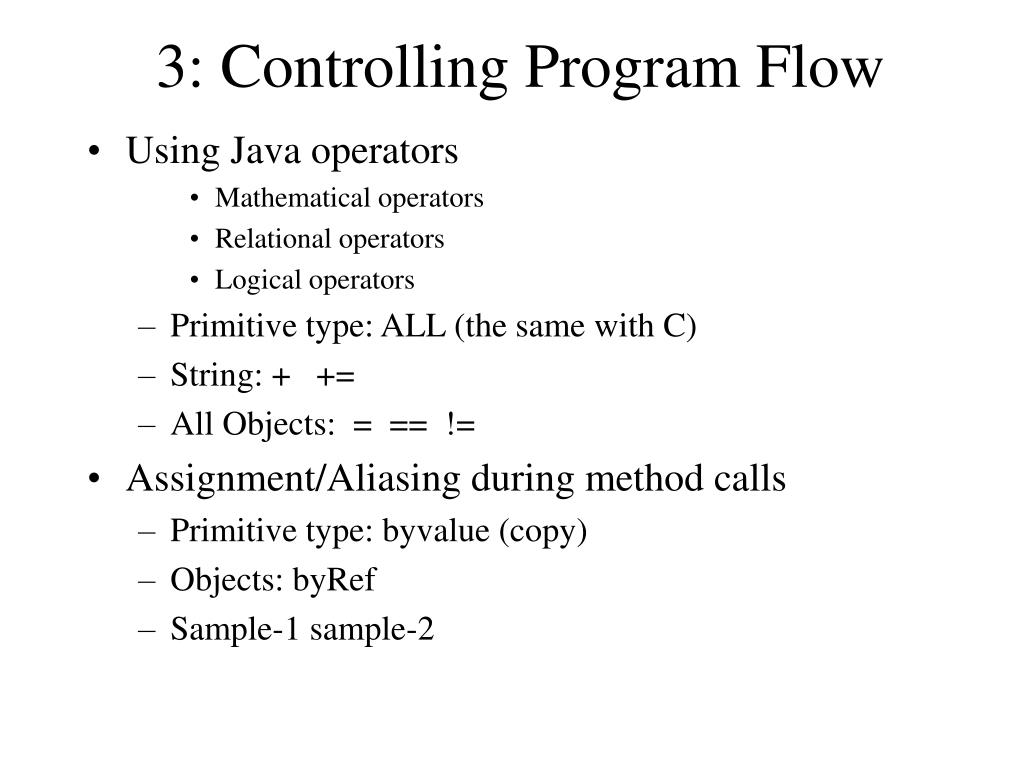
  1. 3: Controlling Program Flow • Using Java operators • Mathematical operators • Relational operators • Logical operators • Primitive type: ALL (the same with C) • String: + += • All Objects: = == != • Assignment/Aliasing during method calls • Primitive type: byvalue (copy) • Objects: byRef • Sample-1 sample-2

  2. 9 n1 47 n2 9 n1 47 n2 class Number { int i; } public class Assignment { public static void main(String[] args) { Number n1 = new Number(); Number n2 = new Number(); n1.i = 9; n2.i = 47; System.out.println("1: n1.i: " + n1.i + ", n2.i: " + n2.i); n1 = n2; System.out.println("2: n1.i: " + n1.i + ", n2.i: " + n2.i); n1.i = 27; System.out.println("3: n1.i: " + n1.i + ", n2.i: " + n2.i); } } ///:~ • 1: n1.i: 9, n2.i: 47 • 2: n1.i: 47, n2.i: 47 • 3: n1.i: 27, n2.i: 27

  3. public class PassPrimitive { static void f(char y) { y = 'z'; } public static void main(String[] args) { char x ; x = 'a'; System.out.println("1: x: " + x); f(x); System.out.println("2: x: " + x); } } ///:~ 1: x: a 2: x: a class Letter { char c; } public class PassObject { static void f(Letter y) { y.c = 'z'; } public static void main(String[] args) { Letter x = new Letter(); x.c = 'a'; System.out.println("1: x.c: " + x.c); f(x); System.out.println("2: x.c: " + x.c); } } ///:~ 1: x.c: a 2: x.c: z

  4. Relational operators • All type (including boolean): == != • All primitive type but boolean: All Relational operators • < > <= >= == != • Logical Operators • AND : && • OR : || • NOT : !

  5. Testing object equivalence • Primitive type: compare value(== !=) • int i=2; if ( i= =2) … • Objects: compare reference(handle) == != • String s=“AAA”; String ss=s; if(s = = ss)… • String s=“AAA”; if(s = = new String(“AAA”) )… • SPECIAL CASE: String s=“AAA”; if(s = = “AAA”)… • Objects: compare value xxx.equals • String s=“AAA”; if(s .equals( “AAA”) )… • (For user-defined class,) method equals must be defined beforehand • If haven’t redefined, default behavior of base class: compare byref

  6. //: c03:EqualsMethod.java import com.bruceeckel.simpletest.*; public class EqualsMethod { public static void main(String[] args) { Integer n1 = new Integer(47); Integer n2 = new Integer(47); System.out.println(n1.equals(n2)); } } ///:~ //: c03:Equivalence.java import com.bruceeckel.simpletest.*; public class Equivalence { public static void main(String[] args) { Integer n1 = new Integer(47); Integer n2 = new Integer(47); System.out.println(n1 == n2); } } ///:~

  7. class Number { int i; } public class EqualsMethod { public static void main(String[] args) { Number n1 = new Number (); n1.i=47; Number n2 = new Number (); n2.i=47; System.out.println( n1 ==n2 ); System.out.println(n1.equals(n2)); } } ///:~

  8. Short-circuiting • The result of a logical expression may be determined without evaluation of the latter operands. • if(test1(0) && test2(2) && test3(2))

  9. import com.bruceeckel.simpletest.*; public class ShortCircuit { static boolean test1(int val) { System.out.println("test1(" + val + ")"); System.out.println("result: " + (val < 1)); return val < 1; } static boolean test2(int val) { System.out.println("test2(" + val + ")"); System.out.println("result: " + (val < 2)); return val < 2; } static boolean test3(int val) { System.out.println("test3(" + val + ")"); System.out.println("result: " + (val < 3)); return val < 3; } public static void main(String[] args) { if(test1(0) && test2(2) && test3(2)) System.out.println("expression is true"); else System.out.println("expression is false"); } } ///:~ test1(0) result: true test2(2) result: false expression is false

  10. Bitwise operators • All primitive are signed, no unsigned type • Java has also added the unsigned right shift >>>, whichuses zero extension

  11. String operator + • There’s one special usage of an operator in Java: the + operator can be used to concatenate strings String sString = "x, y, z "; System.out.println(sString + “abc”); • If an expression begins with a String, then all operands that follow must be Strings • If needed, the compiler will turn a quoted sequence of characters into a String

  12. int x = 0, y = 1, z = 2; String sString = "x, y, z "; //String sString = new String("x, y, z “); System.out.println(sString + x + y + z); Here, the Java compiler will convert x, y, and z into their String representations instead of adding them together first. And if you say: System.out.println(x + sString); Java will turn x into a String. Q1:System.out.println(x + y + z+sString); What will be outputed? class Letter { char c; } Q2:Letter object = new Letter(); System.out.println(sString+object); What will be outputed? sString+object.toString() x, y, z Letter@xxxxx

  13. Casting operators • Java allow you to cast any primitive type to any other primitive type except for boolean. while(x = y) { // .... } int i=10; long L=(long) i; int k=(int)L • Java has no “sizeof” • Reason: all the data types are the same size on all machines. • Execution control • break and continue (label) • The infamous “goto” is not supported

  14. Exercise 6.Write a function that takes two String arguments, and uses all the boolean comparisons to compare the two Strings and print the results. For the == and !=, also perform the equals() test. In main(), call your function with some different String objects.