Efficient Image Compression Techniques for Optimal Data Reduction
Explore image compression methods to reduce file sizes, including run-length encoding and palette selection. Learn how to optimize image quality while minimizing bytes. Understand the nuances of JPEG and GIF formats for diverse applications.

Efficient Image Compression Techniques for Optimal Data Reduction
E N D
Presentation Transcript
Image Compression CSC 1040
How do we use fewer bytes to encode the same or similar information? • Reduce redundancy • Take advantage of human visual system – don’t bother differentiating things that are unnoticeable • Make compromises! CSC 1040 - Computing with Images
Human Vision • Human eye tends to “blend” nearby colors • Visual acuity varies markedly across features • Discontinuities easily seen, absolutes less crucial • Color perception is relative CSC 1040 - Computing with Images
Do these colors look the same as ... CSC 1040 - Computing with Images
... as these? CSC 1040 - Computing with Images
Not quite CSC 1040 - Computing with Images
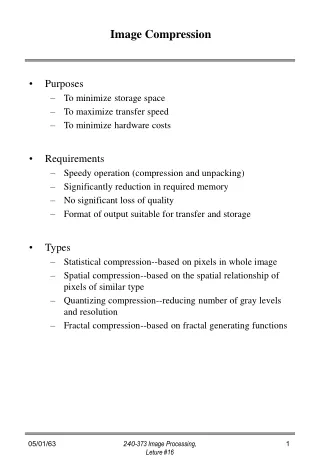
Compression: Reducing Redundancy • Run-length encoding • Group areas of similar pixels together and encode their color only once • Reduces size as if image had fewer pixels • Palette selection • Encode only the colors actually used in the picture (may be much fewer than total number of possible colors) • Reduces size by using fewer bits per pixel CSC 1040 - Computing with Images
Run length encoding • Opportunity: • Large regions of a single color are common • Approach: • Record # of consecutive pixels for each color • An example of lossless encoding 1 2 3 4 5 6 7 8 9 10 11 12 13 14 15 16 17 18 19 20 21 22 23 24 25 26 27 28 29 30 31 CSC 1040 - Computing with Images
Run length encoding • Opportunity: • Large regions of a single color are common • Approach: • Record # of consecutive pixels for each color • An example of lossless encoding Uncompressed 0000000000000000111111111111100000000000000001111111111111111111111111 1 2 3 4 5 6 7 8 9 10 11 12 13 14 15 16 17 18 19 20 21 22 23 24 25 26 27 28 29 30 31 CSC 1040 - Computing with Images
Run length encoding • Opportunity: • Large regions of a single color are common • Approach: • Record # of consecutive pixels for each color • An example of lossless encoding Uncompressed 0000000000000000111111111111100000000000000001111111111111111111111111 1 2 3 4 5 6 7 8 9 10 11 12 13 14 15 16 17 18 19 20 21 22 23 24 25 26 27 28 29 30 31 Run Length Encoding Row 1, 16:0,13:1;16:0;25:1 CSC 1040 - Computing with Images
“Lossy” compression types: • JPEG • Genuine Fractals • Mr. SID 9:1 “averaging” Original Compressed CSC 1040 - Computing with Images
JPEG • Joint Photographic Experts Group • Opportunity: • Eye sees sharp lines better than subtle shading • Approach: • Run length encoding + lossy compression • Retain detail only for the most important parts • Allows user-selectable fidelity • Results:Typical compression 20:1 CSC 1040 - Computing with Images
JPEG • Joint Photographic Experts Group • Preferred format for scanned photographic images for use over the internet or Web. Not meant for printing. • Not good for images with a lot of solid color, vector drawings, type, or line art or images with “Web-safe” colors. • JPEG compression is lossy! Save and archive the original before converting to JPEG. CSC 1040 - Computing with Images
In Photoshop, when you Save as… a JPEG file, you can choose the level of compression and, therefore, the size and quality of the file. CSC 1040 - Computing with Images
Compression: Reducing Redundancy • Run-length encoding • Group areas of similar pixels together and encode their color only once • Reduces size as if image had fewer pixels • Palette selection • Encode only the colors actually used in the picture (may be much fewer than total number of possible colors) • Reduces size by using fewer bits per pixel JPG CSC 1040 - Computing with Images
Compression: Reducing Redundancy • Run-length encoding • Group areas of similar pixels together and encode their color only once • Reduces size as if image had fewer pixels • Palette selection • Encode only the colors actually used in the picture (may be much fewer than total number of possible colors) • Reduces size by using fewer bits per pixel JPG GIF CSC 1040 - Computing with Images
Palette selection • Opportunity: • No picture uses all 16 million colors • Human eye does not see small differences • Approach: • Select a palette of 256 colors • Indicate which palette entry to use for each pixel • Look up each color in the palette CSC 1040 - Computing with Images
Size of images Same as grayscale Half of grayscale CSC 1040 - Computing with Images
GIF • Graphics Interchange Format • Industry standard graphic format for on-screen viewing through the Internet and Web. • Not meant to be used for printing. • The best format for all images except scanned photographic images (use JPEG for these). • GIF supports lossless LZW compression. CSC 1040 - Computing with Images
Tools details for this option Photoshop Save for Web settings CSC 1040 - Computing with Images
JPEG cautions: • Images with hard edges, high contrasts, angular areas, and text suffer from JPEG compression. • Scanned “natural” photographs do not lose much, especially at High or Maximum quality. • Only save finished images as JPEGs, every time you open and save again, even if you don’t edit, you lose quality. • Always keep the original non-JPEG version (the native .psd format). • So why use JPEG? • It is the best format for photographic images on the Web. • Its compression ability is very great. CSC 1040 - Computing with Images
GIF cautions: • Restricted number of colors – not suitable for photographs • Very good compression for line drawings (uniform color areas) • Only save finished images as GIFs • Always keep the original non-GIF version (the native .psd format). • So why use GIF? • It is a good format for images that have few colors and is widely available • Can do lossless compression • Its compression ability is great, especially for images with few colors • Can also be used for animation CSC 1040 - Computing with Images
printing web Adobe Photoshop Photoshop can save files in many file formats: .psd — Photoshop Document (“native” format) .pdf — Photoshop Portable Document Format .eps — Photoshop Encapsulated PostScript .tiff — Tagged Image File Format .gif — CompuserveGraphic Interchange Format .jpg — JPEG, Joint Photographic Experts Group .bmp — Windows Bitmap .png — Portable Network Graphic etc., etc. A summary of Graphics file formats and uses can be found in: http://en.wikipedia.org/wiki/Graphics_file_format_summary CSC 1040 - Computing with Images
EPS • Encapsulated PostScript • Preferred file format for importing into page layout programs such as QuarkXPress, PageMaker, InDesign, XPress, etc. for subsequent printing. • An object-oriented format. • Will only print to a postscript printer. • Uses lossy JPEG compression. • Only save your file as EPS if you need to import it into a page layout program. CSC 1040 - Computing with Images
TIFF • Tagged Image File Format • Widely used cross platform file format also designed for printing. • A bitmap image format. • TIFF supports lossless LZW compression which also makes it a good archive format for Photoshop documents. CSC 1040 - Computing with Images
PDF • Portable Document Format • Developed to transfer and read documents without having to print them—the “paperless office.” • Cross platform format that can be read with the free download Adobe Acrobat Reader. • Can represent both vector and bitmap graphics. • Can also contain electronic document search and navigation features as well as hypertext links. • Can be created from almost any application, but the user cannot edit or modify the file except with Adobe Acrobat (or other software). • Document formatting, fonts, colors, etc. are maintained and appear identical across platforms. • Excellent in the “prepress” process — can be sent to the printer, but can also be placed in other documents. CSC 1040 - Computing with Images
Some of the slides in this presentation were adapted from: http://www.entomology.umn.edu/museum/links/coursefiles/ENT 5051/PowerPoint presentations/Lec 7-File formats.ppt and http://www.umiacs.umd.edu/~jimmylin/LBSC690-2004-Fall/Week10.ppt CSC 1040 - Computing with Images