Download
1 / 20
200 likes | 336 Vues
This showcase highlights the Smart Classroom Initiative at Northwestern University's School of Law, led by Ken Woo. The project integrates advanced audio-visual technologies into 14 classrooms, comprising 8 equipped with A/V capabilities, enhancing multimedia presentations. Features include fixed projectors, smart podiums, and seamless laptop connectivity. Lessons learned from the initiative emphasize the importance of room uniformity, clear instructions, proactive maintenance, and dedicated support for classroom technology. Explore the future of education in technologically empowered learning spaces.

E N D
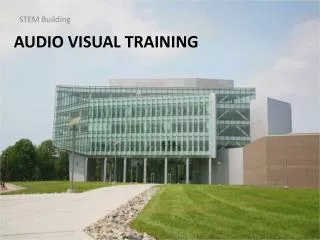
Audio Visual, Smart Classrooms, Podiums Presented by: Larry Curtis and Ken Woo
Northwestern University Technology Project Showcase – The Smart Classroom Initiative Presented by: Director, Law School Computing Northwestern University School of Law Ken Woo
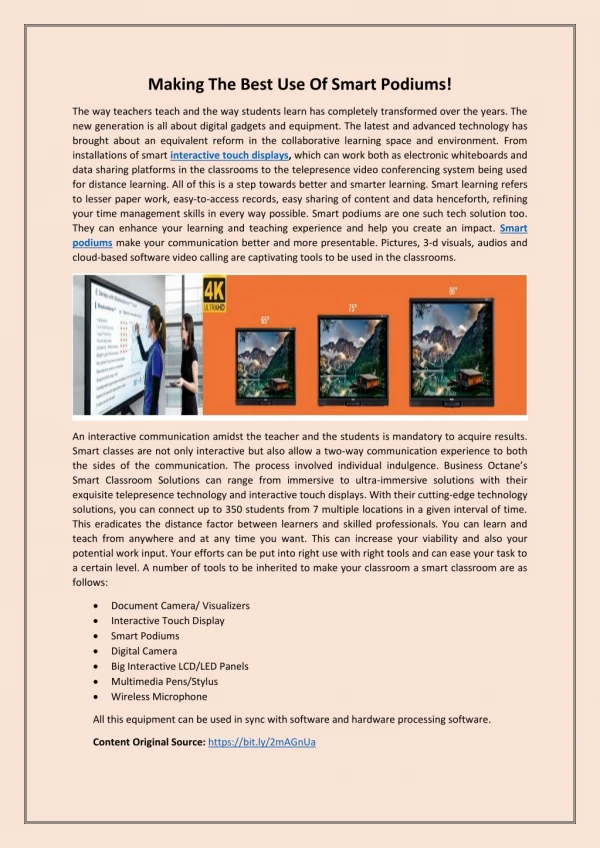
A/V: Smart Classrooms • The objective was to integrate technology and have fixed projector and podium in classrooms for multimedia presentations • Two templates for Rooms size (Large or Small) • A Total of 14 Rooms of which 8 have A/V. • All Can Support Laptops, VCR, DVD • 1 of 8 is a 3M Wall Display Unit • 7 of 8 Rooms use Crestron Technology • All Smart Rooms have an Overhead Projector
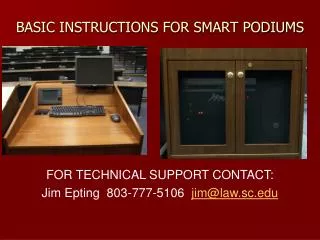
A/V: Smart Podiums • Podium/Lectern used as crutch or assistant • 4 of 8 rooms have a microphone amplifier • 6 of 8 rooms • have a VCR unit • have a DVD unit or a Computer w/a DVD drive • Rooms with Computers have a built-in Zip Drive • All Rooms have Laptop Audio & Video Hookups • All Rooms have USB Plugs for USB Flashdrives • All Rooms have Switched Fast Ethernet Connections for Instructors
Strawn Hall – Classroom Template #1 Projector Podium
Strawn Hall - Podium Lamp Phone Crestron Laptop connectors Keyboard Instructions
Strawn Hall - Podium VCR Computer DVD Amp
Rubloff 339 – Classroom Template #2 Projector Podium
Rubloff 339 - Podium Laptop connectors Monitor Crestron Instructions Keyboard
Rubloff 339 - Podium VCR Computer
A/V: New Initiatives • Additional Smart Rooms with Podiums • Replace Overhead Proj with Doc Cameras • Add Network monitoring for Projectors • Additional Enhancements in Podiums/Rooms • Integrated Lighting on Crestron • Electric power to every seat • Replace single unit VCR with a VCR/DVD combo unit • Get a FTE dedicated for Classroom Support
A/V: Lessons Learned • Make sure all rooms are fairly similar • Develop a template for rooms • Post instructions – podiums, Web, E-mail • Know your vendor - During & After • Who owns the programming code? • How much & how long for support? • Muscle your way into Space Planning Mtgs • Must have a phone in each room • Will you be able to support all requests?
A/V: Lessons Learned (continued) • Train personnel to troubleshoot • Have a plan to replace equipment and projector lamps on a replacement cycle • Don’t wait til there’s trouble, be proactive • Get a budget for A/V needs • Revise, update, and review instructions on a regular basis whenever maintenance is done
Q & A www.law.northwestern.edu