Download

1 / 7
0 likes | 1 Vues
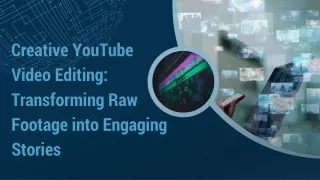
Explore how video editing shapes pacing, emotion, and storytelling. Learn the techniques that transform raw footage into powerful visual narratives.

E N D
Video Editing Tips & How to Use Them A comprehensive beginner's guide to creating polished, professional videos that captivate your audience
Start with Quality Footage & Audio High-quality video and clean audio are the foundation of any successful edit. Poor raw footage severely limits your creative options and makes even the best editing techniques fall flat. Professional insight: Platforms like Riverside record in 4K video with separate audio tracks, giving you precise control during the editing process. Pro tip: Always use headphones during recording sessions to catch and minimize echo, background noise, and audio issues before they become problems in post-production.
Plan Your Edit Before You Start Script & Outline Know Your Audience Write a simple script or outline to keep your story clear, focused, and engaging from start to finish. Understanding your audience and platform is crucial—Instagram Reels require different pacing and framing than YouTube videos. Save Time Strategic planning pays dividends: "Every minute in pre-production saves four in post-production." — TechSmith
Master Basic Editing Techniques These foundational skills form the backbone of professional video editing and will transform your raw footage into compelling content. 01 02 Trim & Cut Clips Apply Smooth Transitions Remove unwanted sections, dead air, and mistakes to keep pacing tight and viewers engaged throughout your video. Use cross-fades, jump cuts, or dissolves strategically to maintain visual flow and guide your audience through scene changes. 03 Add Text Overlays Highlight key points, calls to action, or important information with well-designed text that complements your visual style.
Enhance with Music & Sound Effects Audio elevates your video Background music sets the emotional tone and atmosphere, while carefully placed sound effects add professional polish and emphasis to key moments. • Balance audio levels meticulously to ensure dialogue remains clear and isn't overpowered by music Use royalty-free libraries or platforms like Epidemic Sound for safe, high-quality audio that won't get flagged • Layer different audio elements to create depth and richness in your soundscape
Backup Your Work Using the 3-2-1 Rule Protect hours of hard work from hardware failure, accidents, or disasters with this industry-standard backup strategy. 3 2 1 Copies Media Types Offsite Location Keep THREE separate copies of all your project files and footage Store them on TWO different media types (external drive + cloud storage) Keep ONE copy offsite to protect against theft, fire, or local disasters Remember: Cloud services like Google Drive, Dropbox, or dedicated video storage platforms make offsite backup seamless and automatic.
Wrap Up & Export Like a Pro Final Review Export Settings Keep Learning Double-check your entire timeline for errors, awkward cuts, or audio issues before exporting. Choose the right format and resolution for your target platform—YouTube, Instagram, and TikTok each have optimal specs. Practice regularly and study tutorials—even professional editors continuously refine their craft and learn new techniques. Your journey starts now: Armed with these essential tips, you're ready to create videos that inform, entertain, and inspire your audience. Happy editing!