
SlideServe
Menu
Préférences
© SlideServe · v2026

Make your Photos safe with Watermark – A Visible Digital Mark!

masswatermark avatar
1 diapositives · 85 Views · Apr 26, 2017

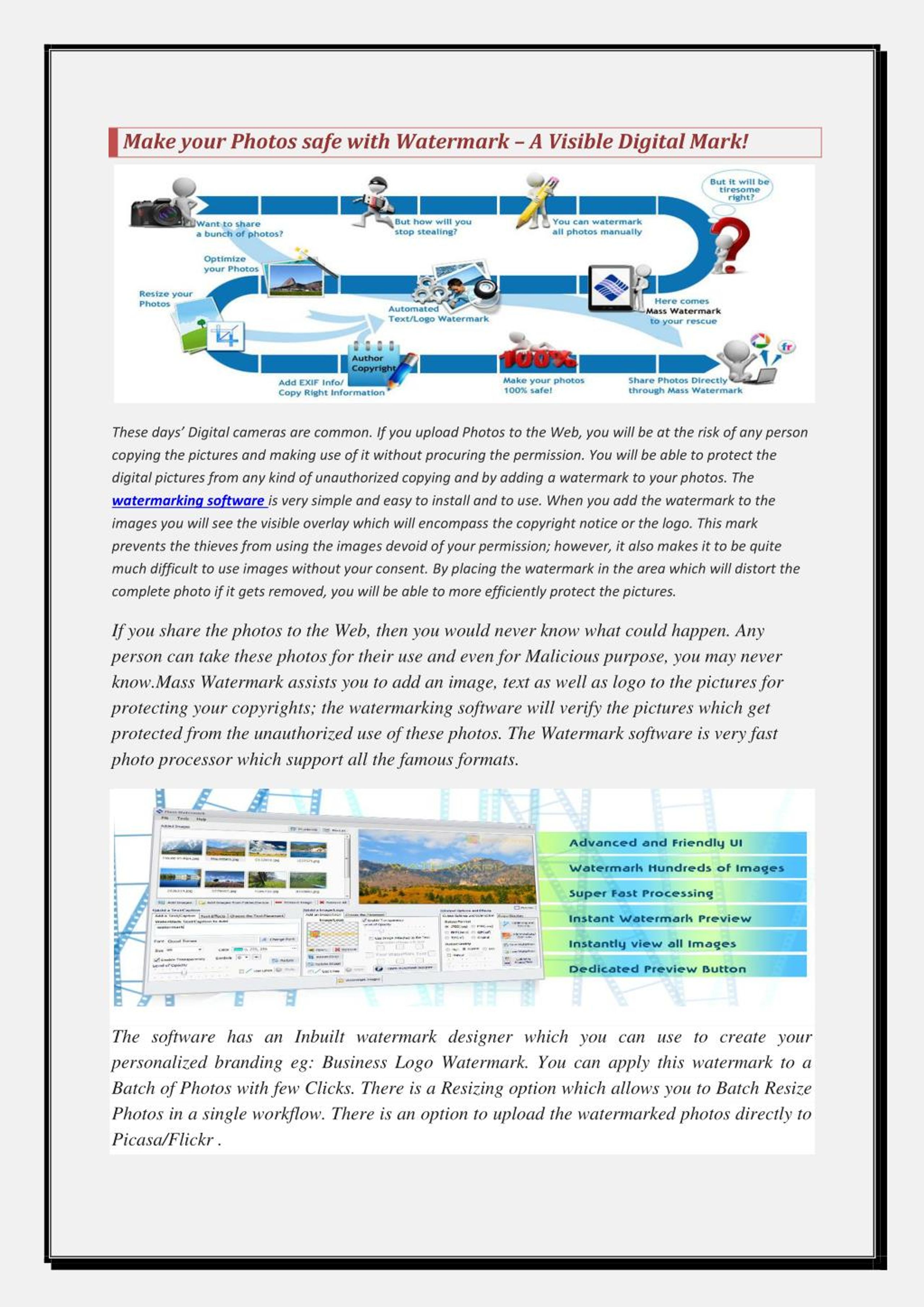
Mass Watermark is the easiest and most efficient way to protect your digital images. With Mass Watermark you can overlay great looking Text or Image Watermarks on your photos with a few mouse clicks. With a the simple User Friendly Interface, Quality Antialiased Watermarks, inbuilt Watermark/Branding Designer, Inbuilt image Optimizer and Direct Flickr and Picasa Connectivity Mass Watermark makes it ever easy to Protect and Share your Photos with few Clicks
Make your Photos safe with Watermark – A Visible Digital Mark! - slide 1
01 / 1Make your Photos safe with Watermark – A Visible Digital Mark!
1 / 17

Télécharger la présentation

Make your Photos safe with Watermark – A Visible Digital Mark!
Une image / un lien ci-dessous est fourni (tel quel) pour télécharger la présentation

Politique de téléchargement : le contenu du site vous est fourni TEL QUEL pour votre information et votre usage personnel ; il ne peut être vendu, concédé sous licence ni partagé sur d’autres sites sans l’accord de son auteur.Le contenu vous est fourni TEL QUEL, pour votre information et votre usage personnel uniquement. Téléchargez la présentation en cliquant sur ce lien. Lors du téléchargement, si vous ne parvenez pas à télécharger une présentation, l’éditeur a peut-être supprimé le fichier de son serveur.Pendant le téléchargement, si vous ne parvenez pas à obtenir une présentation, le fichier a peut-être été supprimé par l’éditeur.

F I N

Plus de contenu associé

Transcription de la présentation
  1. Make your Photos safe with Watermark – A Visible Digital Mark! These days’ Digital cameras are common. If you upload Photos to the Web, you will be at the risk of any person copying the pictures and making use of it without procuring the permission. You will be able to protect the digital pictures from any kind of unauthorized copying and by adding a watermark to your photos. The watermarking software is very simple and easy to install and to use. When you add the watermark to the images you will see the visible overlay which will encompass the copyright notice or the logo. This mark prevents the thieves from using the images devoid of your permission; however, it also makes it to be quite much difficult to use images without your consent. By placing the watermark in the area which will distort the complete photo if it gets removed, you will be able to more efficiently protect the pictures. If you share the photos to the Web, then you would never know what could happen. Any person can take these photos for their use and even for Malicious purpose, you may never know.Mass Watermark assists you to add an image, text as well as logo to the pictures for protecting your copyrights; the watermarking software will verify the pictures which get protected from the unauthorized use of these photos. The Watermark software is very fast photo processor which support all the famous formats. The software has an Inbuilt watermark designer which you can use to create your personalized branding eg: Business Logo Watermark. You can apply this watermark to a Batch of Photos with few Clicks. There is a Resizing option which allows you to Batch Resize Photos in a single workflow. There is an option to upload the watermarked photos directly to Picasa/Flickr .