SlideServe
Menu
Préférences
© SlideServe · v2026

Goal:

morgan avatar
5 diapositives · 235 Views · Oct 06, 2014

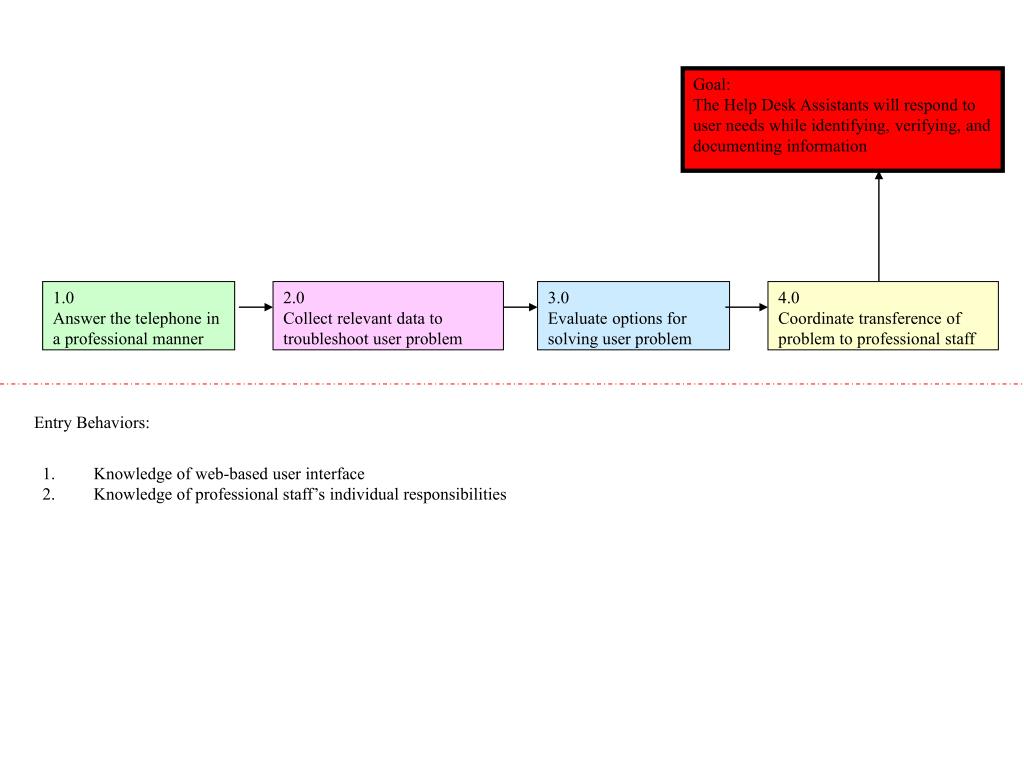
Goal: The Help Desk Assistants will respond to user needs while identifying, verifying, and documenting information. 1.0 Answer the telephone in a professional manner. 2.0 Collect relevant data to troubleshoot user problem. 3.0 Evaluate options for solving user problem. 4.0
Goal: - slide 1
01 / 5Goal:
1 / 17

Télécharger la présentation

Goal:
Une image / un lien ci-dessous est fourni (tel quel) pour télécharger la présentation

Politique de téléchargement : le contenu du site vous est fourni TEL QUEL pour votre information et votre usage personnel ; il ne peut être vendu, concédé sous licence ni partagé sur d’autres sites sans l’accord de son auteur.Le contenu vous est fourni TEL QUEL, pour votre information et votre usage personnel uniquement. Téléchargez la présentation en cliquant sur ce lien. Lors du téléchargement, si vous ne parvenez pas à télécharger une présentation, l’éditeur a peut-être supprimé le fichier de son serveur.Pendant le téléchargement, si vous ne parvenez pas à obtenir une présentation, le fichier a peut-être été supprimé par l’éditeur.

F I N

Plus de contenu associé

Transcription de la présentation
  1. Goal: The Help Desk Assistants will respond to user needs while identifying, verifying, and documenting information 1.0 Answer the telephone in a professional manner 2.0 Collect relevant data to troubleshoot user problem 3.0 Evaluate options for solving user problem 4.0 Coordinate transference of problem to professional staff Entry Behaviors: Knowledge of web-based user interface Knowledge of professional staff’s individual responsibilities

  2. 1.0 Answer the telephone in a professional manner 1.1 Supply a pleasant tone-of-voice to the caller 1.2 Identify your name and position to the caller 1.3 Listen, carefully, to caller’s problem(s) 1.1.1 Identify a pleasant tone-of-voice

  3. 2.0 Collect relevant data to troubleshoot user problem 2.1 Construct and document statements that effectively and completely explain user problem(s) 2.2 Locate user in online directory 2.3 Login to ITTS (Information Technology Troubleshooting System) 2.2.1 Identify type of computer and operating system user is running 2.3.1 Locate ITTS system

  4. 3.0 Evaluate options for solving user problem 3.1 Search ITTS system for similar problems 3.2 Identify results 3.3 Document steps tried to solve user problem 3.1.1 Search ITTS system a different way 3.2.1 Identify answer FOUND 3.2.2 Identify answer NOT FOUND

  5. 4.0 Coordinate transference of problem to professional staff 4.1 Identify means of passing problem onto appropriate staff 4.2 Notify professional staff of case number 4.3 Document steps used to transfer problem to professional staff 4.4 Provide follow-up case information and timeframe to user 4.2.1 Identify case number 4.1.1 Email professional staff 4.1.2 Pass to professional staff through ITTS system 4.1.3 Telephone professional staff